---
title: Conditional variable
description: Conditional variable
---
[Skip to content](https://support.dotidot.io/en/hc/en-us/articles/19810676800028-conditional-variable#main-content)
[](https://www.dotidot.io/)
- [Home](https://www.dotidot.io/)
- [Webinars](https://www.dotidot.io/webinars)
- [Pricing](https://www.dotidot.io/pricing)
- [Blog](https://www.dotidot.io/blog)
- [Company](https://www.dotidot.io/about)
Open main navigation
Close main navigation
- [Home](https://www.dotidot.io/)
- [Webinars](https://www.dotidot.io/webinars)
- [Pricing](https://www.dotidot.io/pricing)
- [Blog](https://www.dotidot.io/blog)
- [Company](https://www.dotidot.io/about)
- [Contact us](https://www.dotidot.io/contact)
[Contact us](https://www.dotidot.io/contact)
How can we help you?
- There are no suggestions because the search field is empty.
1. [Dotidot knowledge base](https://support.dotidot.io/en?hsLang=en)
2. [Data Sources](https://support.dotidot.io/en/data-sources?hsLang=en)
3. [Variables](https://support.dotidot.io/en/data-sources?hsLang=en#variables)
# Conditional variable
# **Introduction**
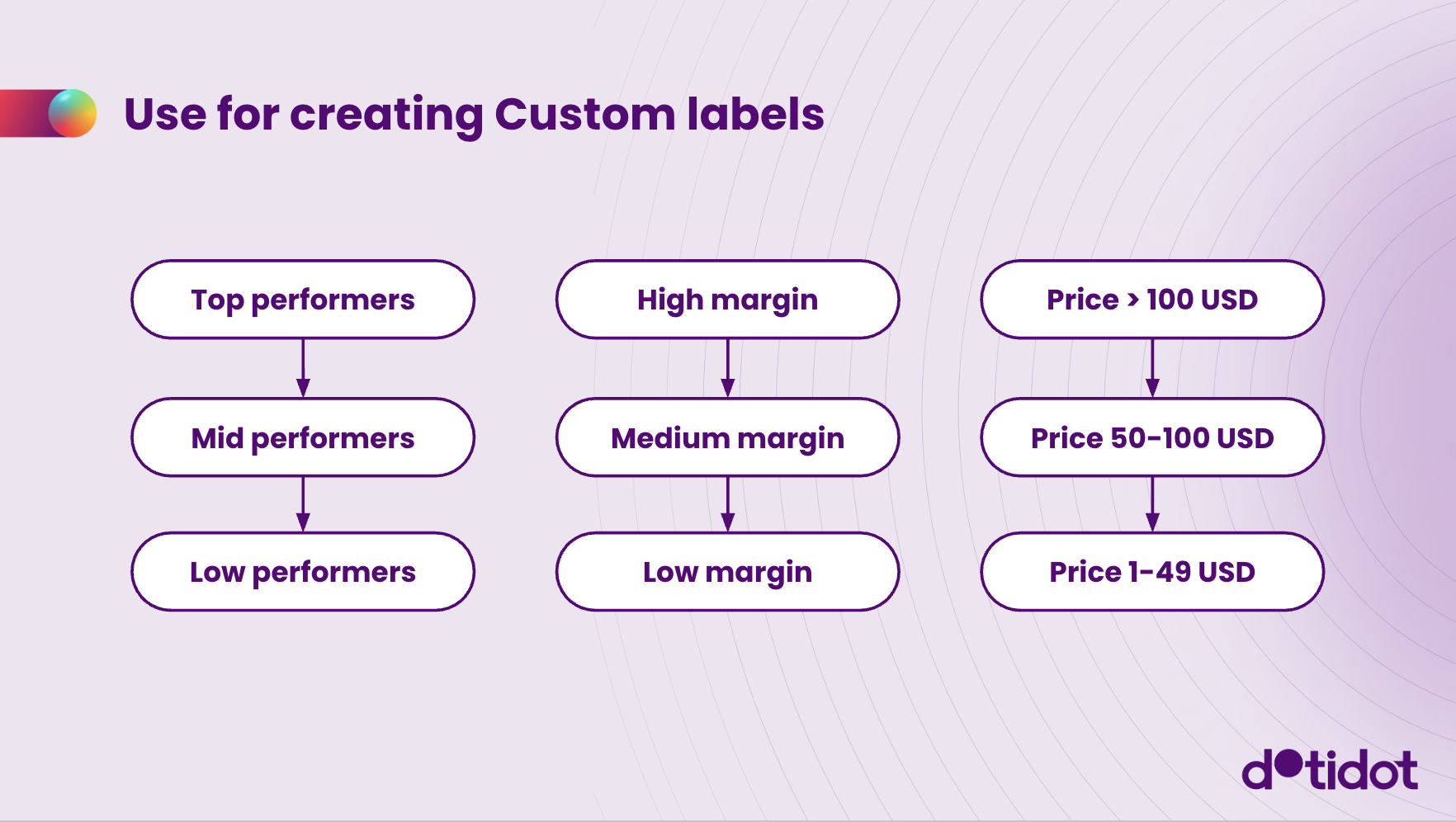
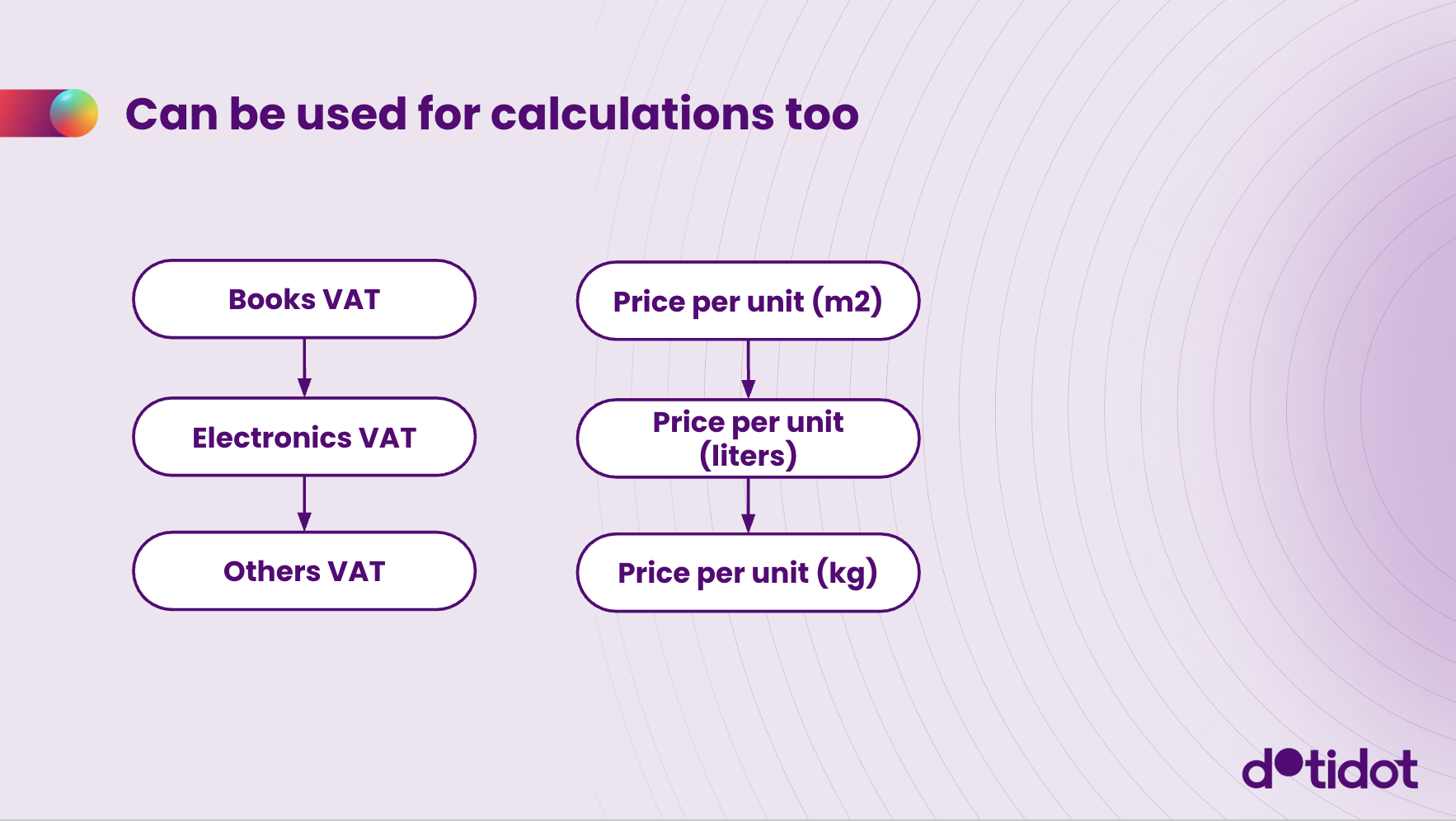
This guide explains how to create a conditional variable in Dotidot, which works like a logic funnel. It’s useful, for example, for assigning custom labels or performing conditional calculations.
We’ve prepared a webinar where our marketing specialist Marek explains how to work with several variable types in Dotidot, including **Conditional**, **Array**, **Remapping**, and **Countdown** variables. This in-depth session is packed with real examples and tips. You can watch the full webinar [here](https://vimeo.com/1080160338).
Below, we’ve selected the part of the webinar that focuses on **conditional variable**:
If you’d rather read through the content, we’ve put together this written guide summarizing everything covered in the webinar.
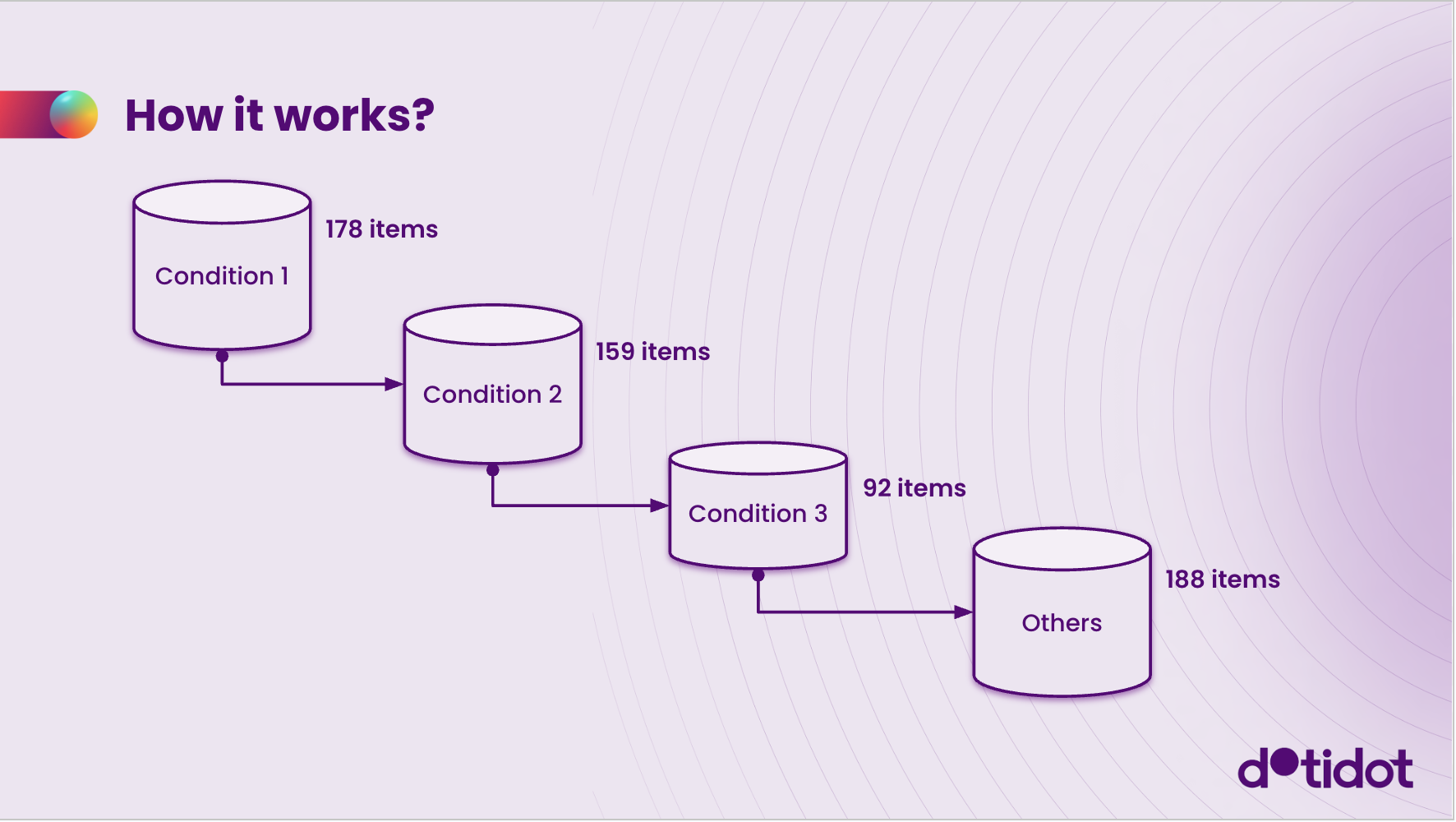
## **What this guide will teach**
You’ll learn how to:
• Create performance-based labels
• Set up margin groups
• Apply different VAT calculations based on product category
## **Who it’s for**
Conditional variables are useful for users who want to create dynamic logic using variables to customize labeling or pricing calculations.
# **Steps**
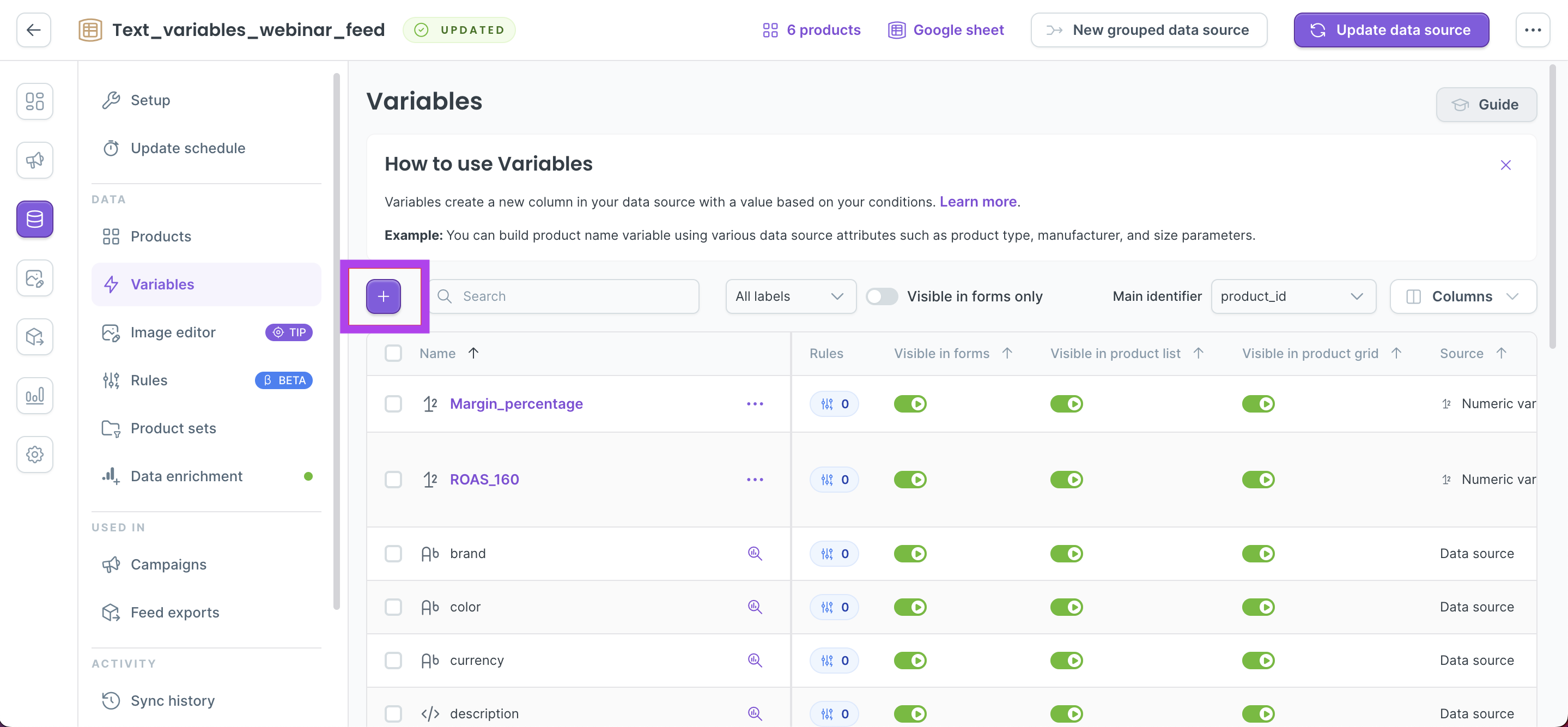
1. **Open the Variables tab**
In your data source, navigate to the Variables section and select **"+"** button. Then select **Conditional Variable** from the list.
**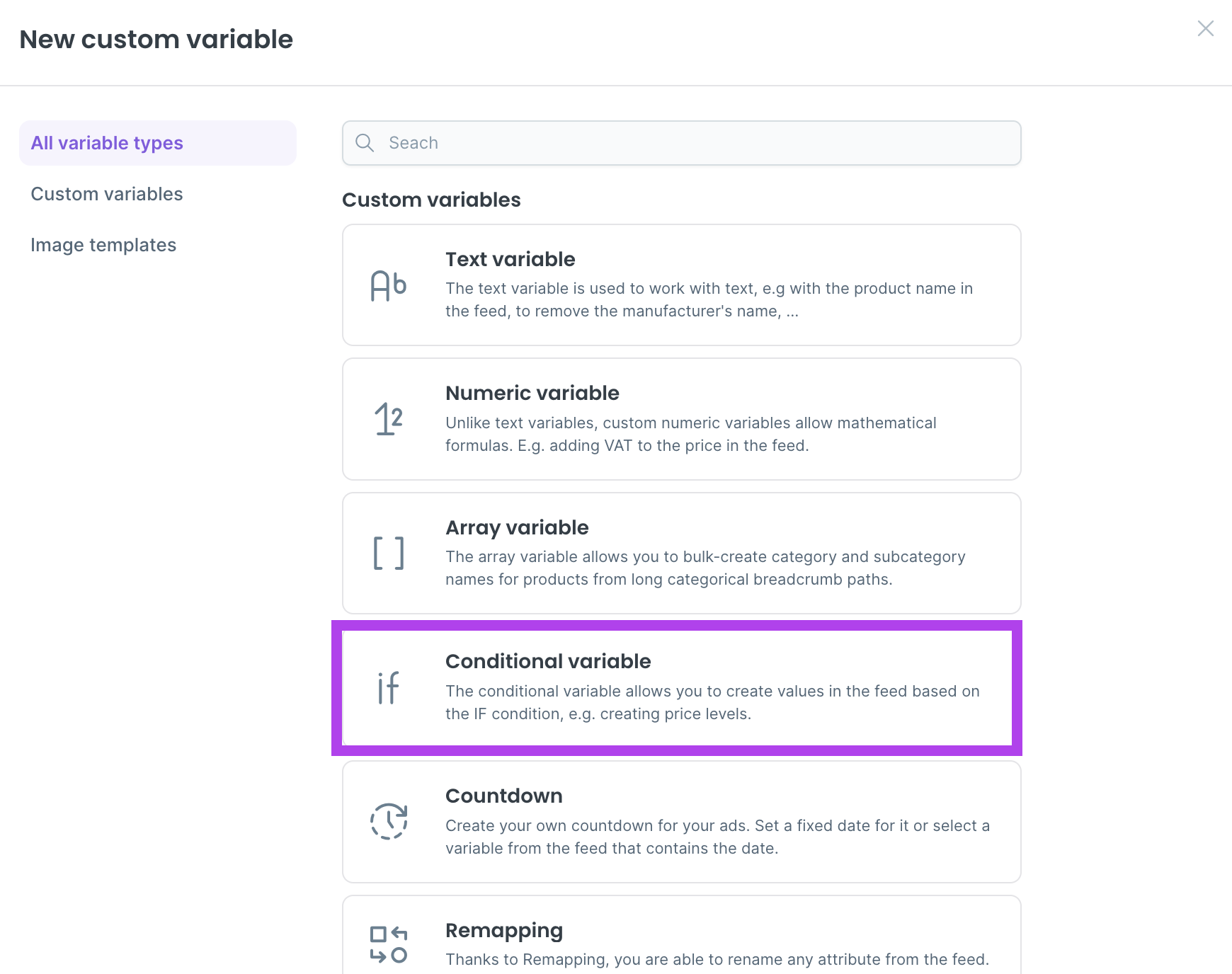**
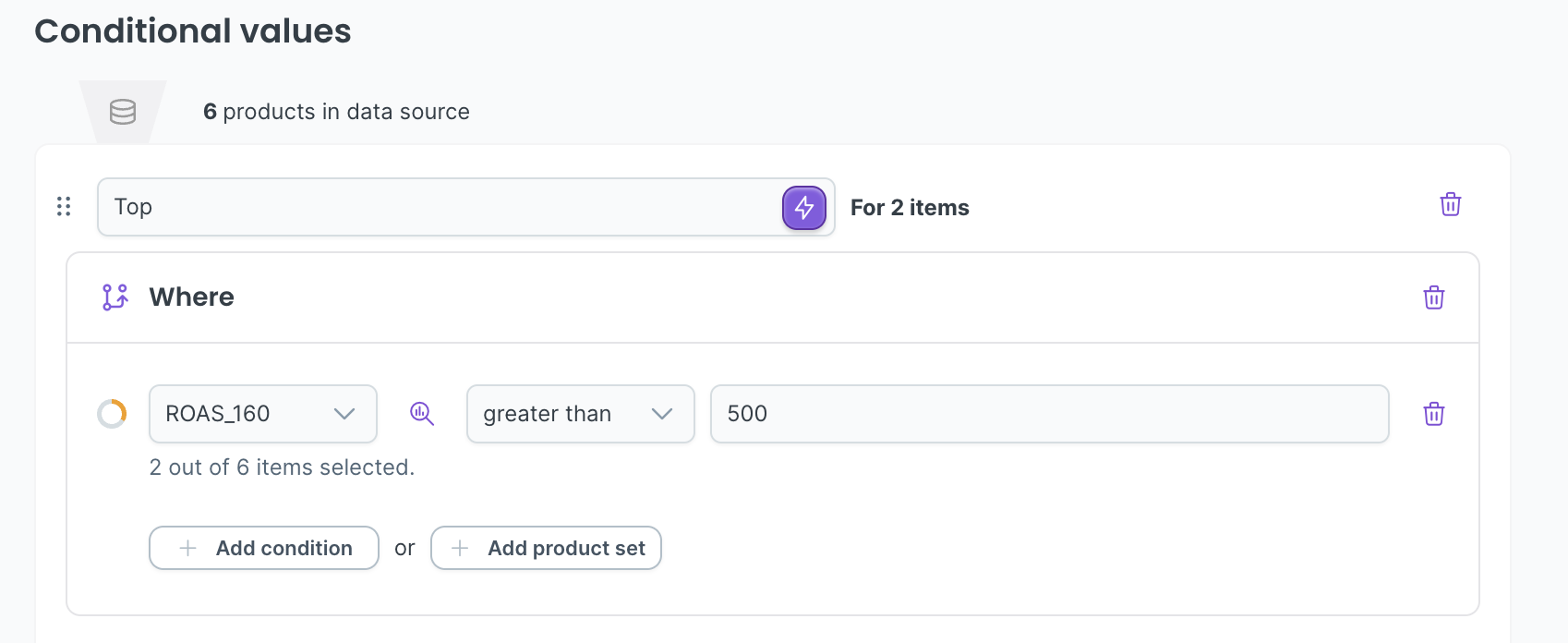
2. **Define the first condition**
Add a condition called Top
Set the logic (e.g. ROAS \> 500 for the last 160 days)
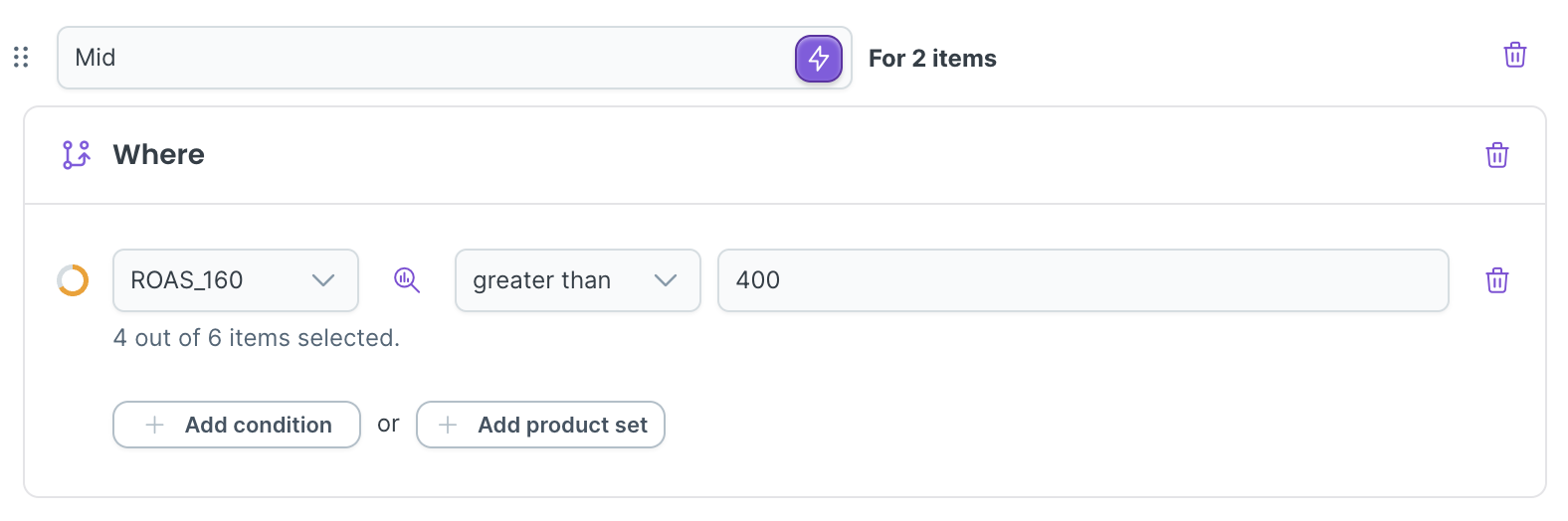
3. **Add a second condition**
Name: Mid
Condition: ROAS \> 400
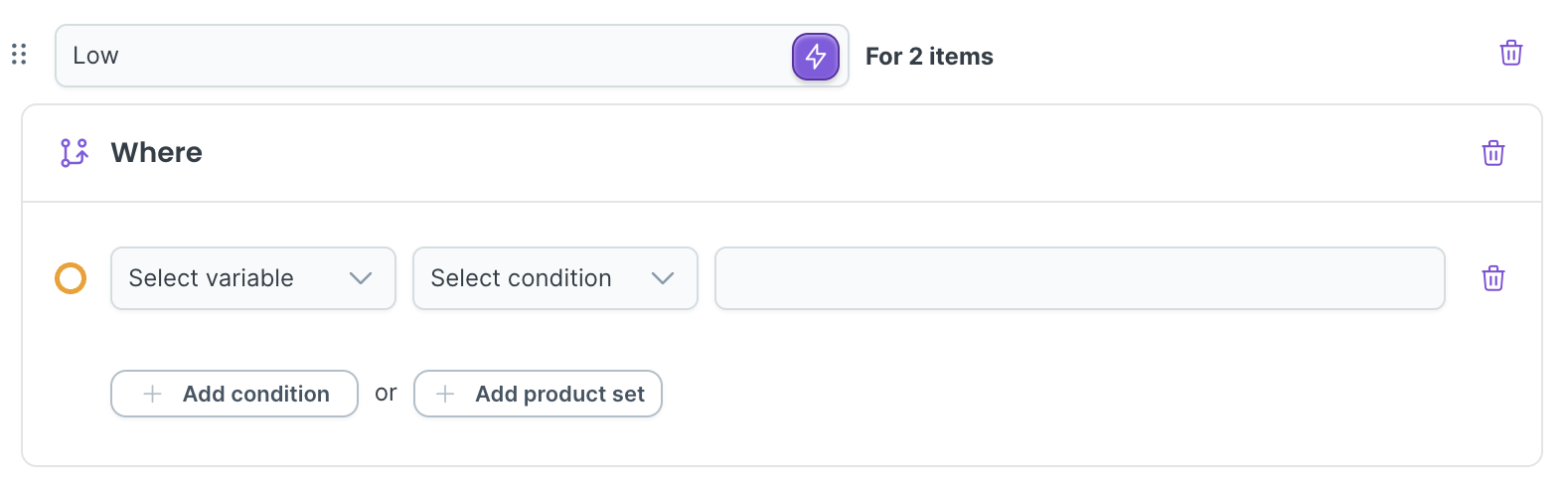
4. **Set a default name for remaining items**
Name: Low
Add no condition
5. **To create margin-based groups, just create new conditional variable and name it Margin label.**
6. **Add first condition**
Name: High
Condition 1: Margin % \> 50 → label as High
7. **Set a default name for remaining items**
Name: Low
Add no condition
8. **You can also set up conditional calculation (e.g., VAT). Create new conditional variable and name it Price with VAT**
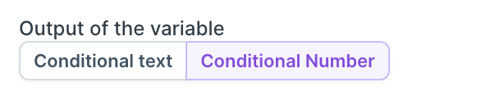
9. **Change variable type to Conditional Number
**
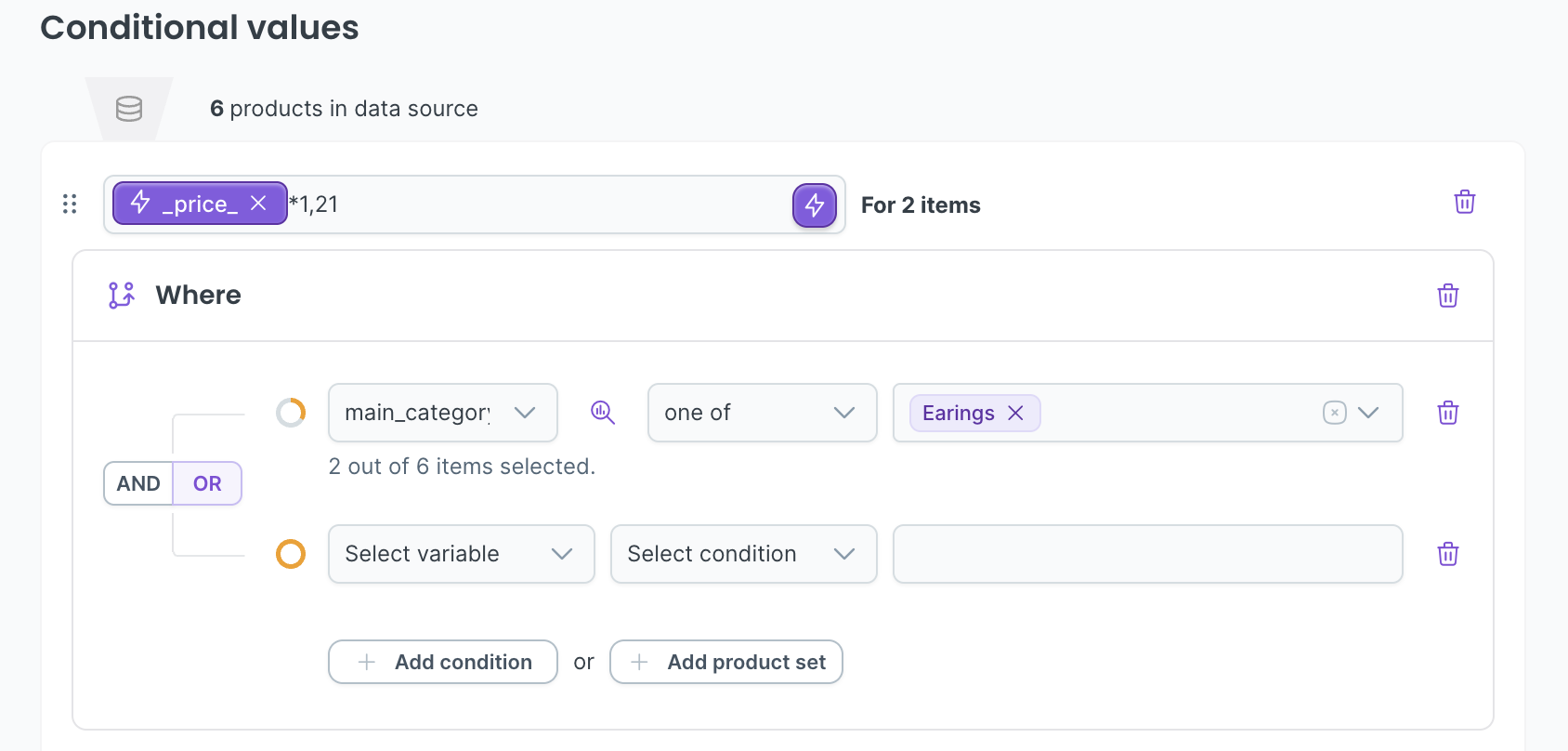
10. **Insert formula: Price \* 1.21 and Add condition: Main Category = Earrings
**
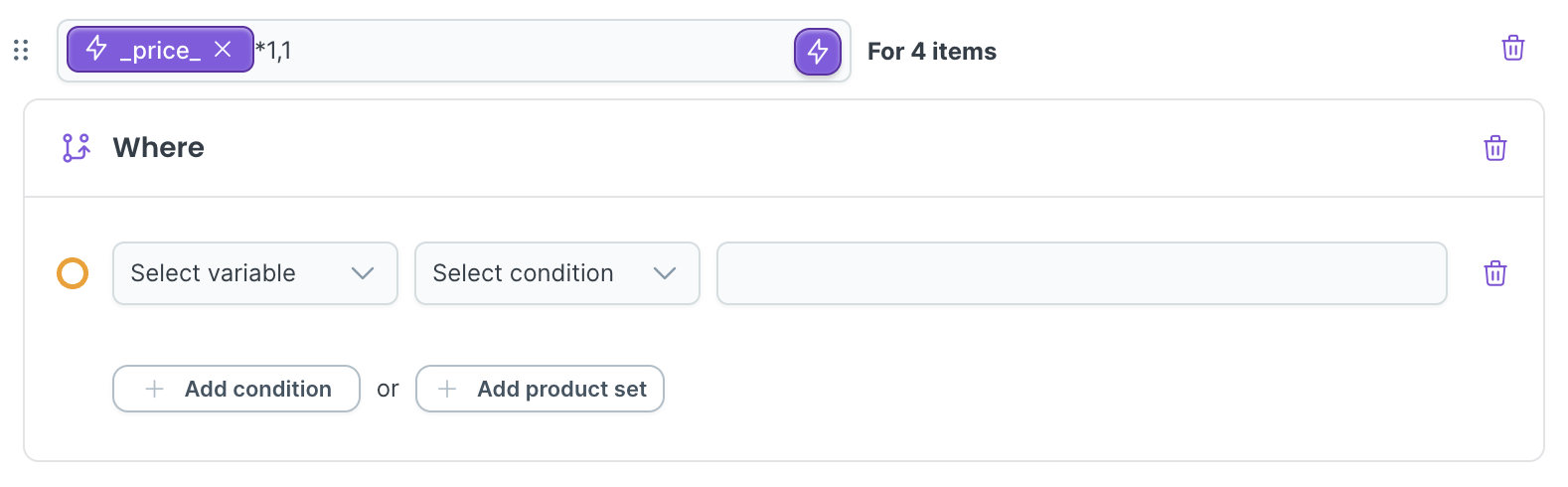
11. **Add fallback condition: Price \* 1.1 for other categories
**
# **Expected result**
## You should see:
- Your products dynamically labeled as Top, Mid, or Low based on ROAS
- Margin groups displayed according to percentage thresholds
- VAT correctly calculated and applied to specified categories
## To verify:
- Check the variable preview to see if labels or numbers are assigned correctly
- Review product-specific conditions to ensure logic was applied properly
- [Getting started with Dotidot](https://support.dotidot.io/en/getting-started-with-dotidot?hsLang=en)
- [Data Sources](https://support.dotidot.io/en/data-sources?hsLang=en#main-content)
- [Data sources types](https://support.dotidot.io/en/data-sources?hsLang=en#data-sources-types)
- [Variables](https://support.dotidot.io/en/data-sources?hsLang=en#variables)
- [Data enrichment](https://support.dotidot.io/en/data-sources?hsLang=en#data-enrichment)
- [Feed exports](https://support.dotidot.io/en/data-sources?hsLang=en#feed-exports)
- [Campaigns](https://support.dotidot.io/en/campaigns?hsLang=en#main-content)
- [DSA campaigns](https://support.dotidot.io/en/campaigns?hsLang=en#dsa-campaigns)
- [Assets](https://support.dotidot.io/en/campaigns?hsLang=en#assets)
- [Meta campaigns](https://support.dotidot.io/en/campaigns?hsLang=en#meta-campaigns)
- [Keywords](https://support.dotidot.io/en/campaigns?hsLang=en#keywords)
- [Product Analytics](https://support.dotidot.io/en/product-analytics?hsLang=en)
- [Image Editor](https://support.dotidot.io/en/image-editor?hsLang=en)
- [Pricing and billing](https://support.dotidot.io/en/pricing-and-billing?hsLang=en)
- [Tips for using the app](https://support.dotidot.io/en/tips-for-using-the-app?hsLang=en)
- [FAQ](https://support.dotidot.io/en/faq?hsLang=en)
- [Home](https://www.dotidot.io/)
- [Webinars](https://www.dotidot.io/webinars)
- [Pricing](https://www.dotidot.io/pricing)
- [Blog](https://www.dotidot.io/blog)
- [Company](https://www.dotidot.io/about)
# Dotidot
[mailto:info@dotidot.io](mailto:info@dotidot.io)
Copyright © 2026, Dotidot